







contact@dn.com
+86 135-7488-8887
3814848

Please scan the code using WeChat
People in the domain industry are familiar with domain names, but not everyone who deals with domains necessarily registers them. For example, website operators or designers may not register domains, but the process is not difficult. Here are 8 steps to guide you through the registration process. Note that registration steps may vary on different platforms, so please adjust accordingly.
1. Choose a Domain Name: First, you need to select a suitable domain name. Ensure it is relevant to your brand, business, or website theme and is easy to remember. Also, check the availability of the domain, as someone else may have already registered your desired name.
2. Check Domain Availability: On the website of a domain registrar, there is typically a search box where you can enter your chosen domain to check its availability. If the domain is already taken, consider using a different name or trying different domain extensions (e.g., .com, .net, .org).
3. Choose a Domain Registrar: Select a reputable domain registrar such as GoDaddy, Namecheap, Bluehost, etc. These registrars offer domain registration services and often provide additional services like hosting, email, etc.
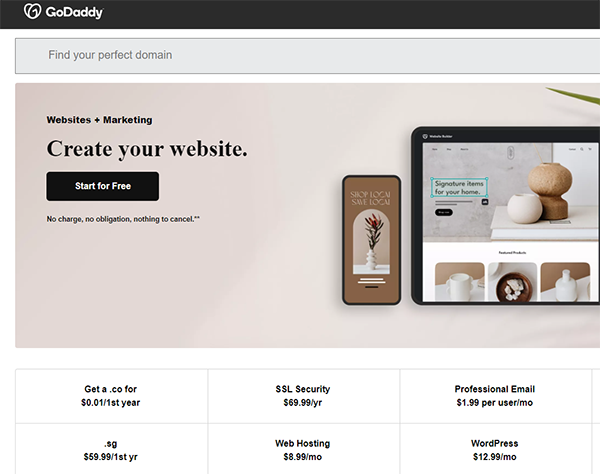
4. Register the Domain: On the chosen domain registrar's website, locate the domain registration page, enter your chosen domain, and complete the registration process. You may need to provide some personal or organizational information, so ensure accuracy.
5. Choose Registration Period: Select the duration for which you want to register the domain. Typically, you can choose registration periods like one year, two years, or longer.
6. Add Additional Services: During the registration process, the domain registrar may offer additional services such as privacy protection, SSL certificates, etc. Choose whether to add these services based on your needs.
7. Pay Fees: Confirm your order, provide payment information, and pay the applicable fees. Domain registration fees are usually annual, so you'll need to renew regularly to maintain ownership.
8. Manage Domain Settings: Once registered successfully, log in to the domain registrar's control panel to manage domain settings such as DNS records, domain forwarding, etc.
Please note that the domain registration process may vary, and specific steps might differ depending on the domain registrar. Be sure to carefully read the information and services provided by the chosen domain registrar.


 Contact Us