







contact@dn.com
+86 135-7488-8887
3814848

Please scan the code using WeChat
Whether you are a new webmaster or an experienced one, you may encounter the challenge of domain hijacking sooner or later in the SEO industry. Many webmasters who experience domain hijacking are troubled by the generation of a large number of spam pages, which can lead to panic. If you discover it early, there's still time to address it. If you've never experienced it before, it can be quite alarming. Here are three steps to deal with domain hijacking:
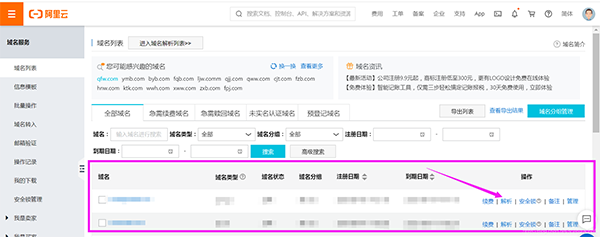
1. Disable wildcard DNS resolution for the domain
To disable domain resolution, you must have access to the domain's management account and password. Otherwise, you will need to resolve the issue through the domain service provider's customer support, which may be more time-consuming. Once you access the domain management dashboard, you can find the domain resolution with an asterisk (*) and delete it.
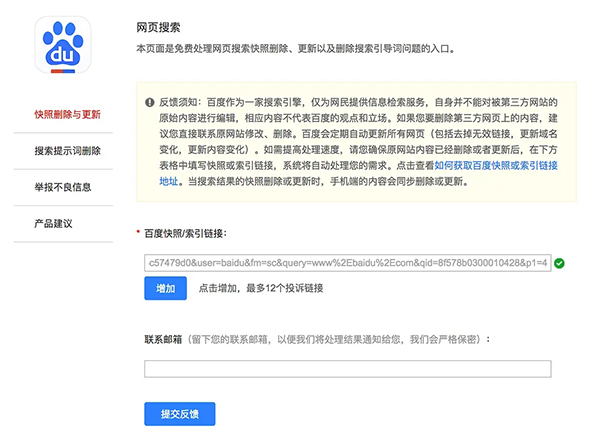
2. Report a large number of spam pages
Spam pages will become dead links on your website. You need to address these dead links. In the report content section, mention that your website has been maliciously subjected to wildcard DNS resolution. In normal circumstances, search engines like Baidu will quickly pay attention to your site and assist in removing the spam pages in bulk. If not, you may need to manually report and remove them one by one.
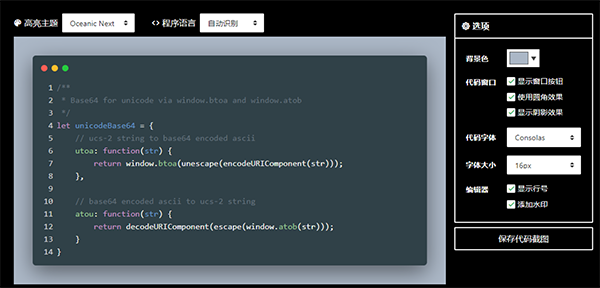
3. Check if the website code has been altered
After resolving the domain hijacking issue, the final step is to thoroughly inspect your website's code to completely remove any spam pages and ensure the security of your website.
Often, website attacks are unavoidable. If you don't have the capability to prevent such attacks, you can choose powerful servers and domain registrars to help you enhance your website's security. When you encounter an attack, it's essential not to panic. Maintaining composure is key to effectively managing your SEO work!


 Contact Us